Introduction
Artificial Intelligence is revolutionizing software development, and Claude AI from Anthropic stands out as one of the most powerful tools for developers in 2026. Whether you’re generating code, debugging complex systems, refactoring legacy code, or building full applications, Claude excels at understanding context, following instructions precisely, and producing high-quality, production-ready code.
In this complete guide — designed as a companion to our AI for Developers Complete Guide — you’ll discover how to integrate Claude into your workflow, leverage Claude Code for agentic development, master prompting techniques, and compare it with tools like ChatGPT.
By the end, you’ll know exactly how to use Claude to build faster, smarter, and with fewer bugs.

What is Claude AI and Why Developers Love It?
Claude is Anthropic’s family of large language models, known for exceptional reasoning, coding capabilities, and a strong emphasis on safety and helpfulness. Models like Claude 3.5 Sonnet (and newer iterations) frequently outperform or match GPT-4o in coding benchmarks, especially in:
- Code generation and refactoring
- Following complex, multi-step instructions
- Agentic tasks (autonomous problem-solving)
- Long-context understanding
Key Strengths for Developers:
- Superior instruction-following and fewer hallucinations in code tasks
- Excellent at graduate-level reasoning and complex logic
- Strong performance on benchmarks like HumanEval and SWE-Bench
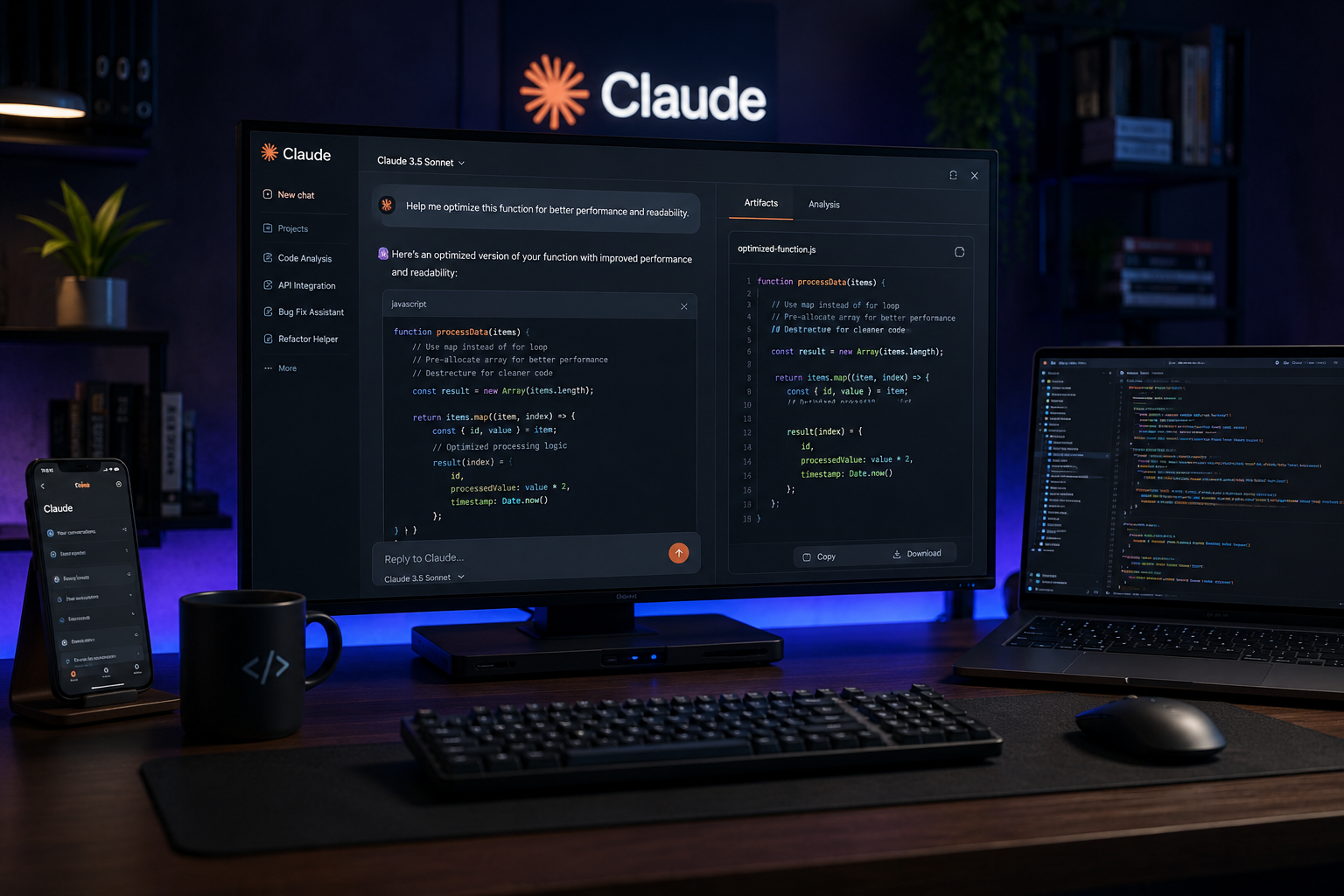
- Tools like Artifacts for interactive code previews and Claude Code for terminal-based agentic coding
Compared to ChatGPT, many developers report Claude produces cleaner, more reliable code on the first try for non-trivial tasks.
Claude Models for Developers in 2026
| Model | Best For | Coding Strength | Context Window | Key Feature |
|---|---|---|---|---|
| Claude 3.5 Sonnet | Everyday coding, refactoring | Excellent (top-tier) | Large | Speed + Quality balance |
| Claude Opus (newer versions) | Complex architecture, planning | Deep reasoning | Very Large | Advanced agentic tasks |
| Claude Code | Full project building in terminal | Agentic workflows | Project-based | File editing, execution |
Pro Tip: Start with Claude 3.5 Sonnet (or latest equivalent) via claude.ai for most tasks, then scale to Claude Code for serious development.
Getting Started with Claude for Programming
- Web Interface (claude.ai) — Great for quick code generation, debugging, and Artifacts.
- Claude Code — Install via npm or standalone. Run in your project directory for a terminal-based AI engineer that reads/writes files, runs commands, and iterates.
- API Integration — Build custom tools, agents, or embed in your IDE.
Quick Start for Claude Code:
- Install: npm install -g @anthropic-ai/claude-code (or use installer)
- Navigate to your project: cd my-project
- Run claude-code and start chatting naturally.
How to Use Claude for Coding: Core Workflows
1. Code Generation
Effective Prompt Structure (The Anatomy of a Great Prompt):
text
Task: [What you want]
Context: [Project details, tech stack, constraints]
Requirements: [Style, performance, security]
Examples: [1-2 input/output examples]
Plan: [Step-by-step if complex]
Example Prompt: “Create a FastAPI endpoint for user authentication with JWT, using SQLAlchemy. Include proper error handling, input validation with Pydantic, and tests. Follow PEP8 and add comprehensive docstrings.”
2. Debugging & Refactoring
Paste error messages or problematic code and ask Claude to:
- Explain the root cause
- Suggest fixes with trade-offs
- Refactor for readability/performance
Claude shines here because it carefully follows your existing architecture.
3. Testing & Documentation
- Generate unit/integration tests (including edge cases)
- Auto-document functions, APIs, or entire modules
- Create READMEs, architecture diagrams (via Mermaid), or API specs
4. Full Feature Implementation
Use Plan Mode in Claude Code:
- Ask Claude to interview you about requirements
- Generate plan.md and tasks.md
- Execute phase by phase
Best Practice: Always use Git. Let Claude commit with detailed messages. Review changes before merging.
📋 Advanced Techniques & Best Practices (Claude Code Focus)
- CLAUDE.md File — Your project bible. Define coding standards, architecture rules, tech decisions, and forbidden patterns. Keep it concise (<60 lines). Claude reads this automatically.
- Plan Mode — Essential for complex tasks. Break projects into phases.
- Custom Skills/Agents — Build reusable tools for your domain.
- Context Management — Start fresh conversations often. Feed relevant files or summaries instead of long histories.
- Iteration Rule — If output is mediocre, ask for a complete rewrite with specific improvements.
- Security & Review — Always audit AI code for vulnerabilities, especially in auth, data handling, or dependencies.
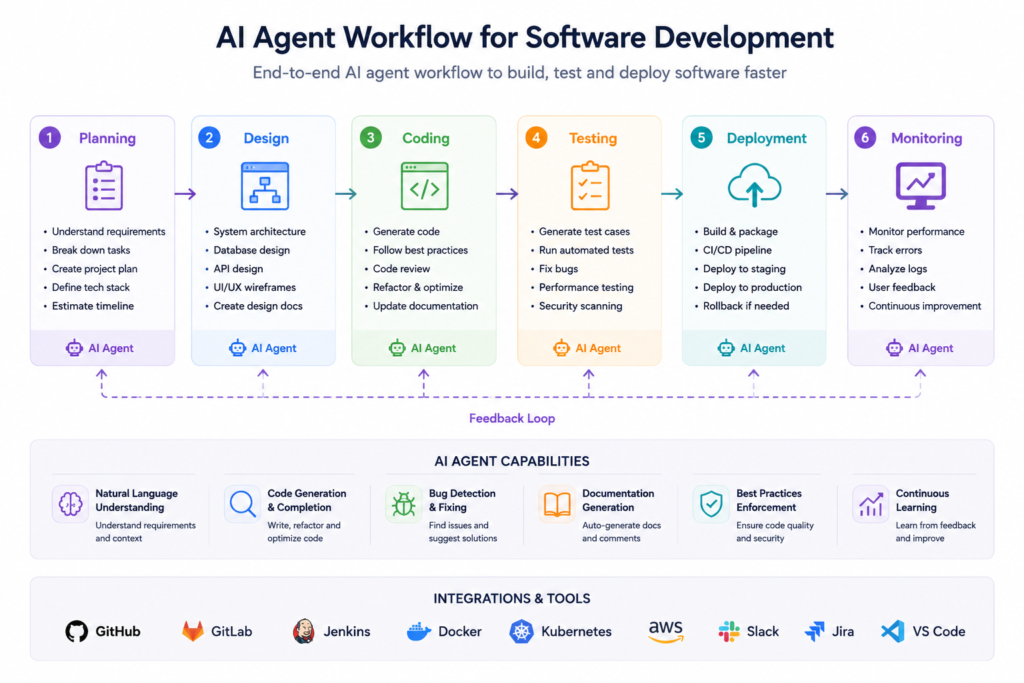
Pro Workflow for Production Projects:
- Research/brainstorm with Claude (or another model)
- Document in plan.md
- Use Claude Code in Plan Mode to review & refine
- Execute tasks one by one
- Test, commit, repeat
Using the Claude API for Developers
Build powerful integrations:
- Custom IDE plugins
- Automated code review bots
- AI-powered CI/CD helpers
- Internal tools and agents
Resources: Check Anthropic’s official docs and Academy for Messages API, tool use, and best practices.
Popular patterns include structured outputs (JSON mode), tool calling, and multi-agent systems.
Claude vs ChatGPT for Programming (2026)
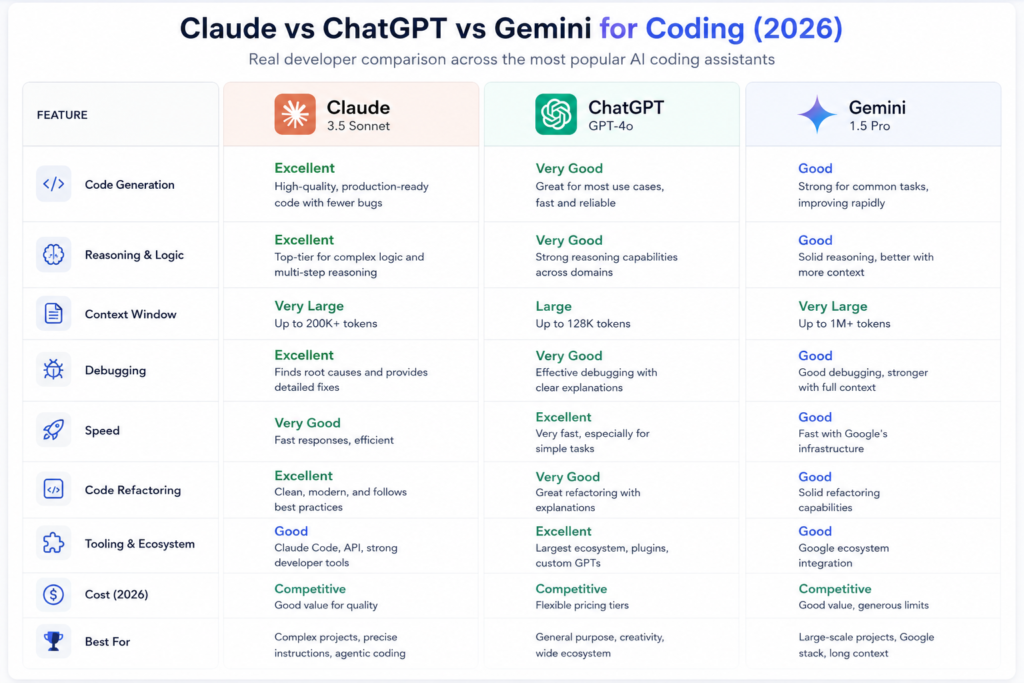
- Claude often wins in: Complex reasoning, refactoring large codebases, precise instruction following, and clean first-draft code.
- ChatGPT strengths: Creativity, certain creative tasks, broader ecosystem (plugins, custom GPTs), and sometimes faster iteration in casual use.
- Many developers use both: Claude for heavy lifting, GPT for quick scripts or ideation.
Real Developer Feedback: Claude frequently produces near bug-free code on first attempts for non-trivial tasks.
Real-World Use Cases
- Web Apps: Build full-stack apps (Next.js + backend) with Claude Code.
- Refactoring Legacy Code: Modernize old systems safely.
- DevOps & Automation: Generate Terraform, CI/CD pipelines, monitoring scripts.
- Learning: Accelerate onboarding to new languages/frameworks.
- Prototyping: Go from idea to working MVP extremely fast.
Challenges & Limitations
- Token limits and costs for very large projects
- Occasional need for human oversight (especially security)
- Over-reliance can slow skill development — use it to augment, not replace, thinking
- Best results require skilled prompting and clear specifications
Golden Rule: Treat Claude like a very capable junior-to-mid-level developer. Provide clear specs and review output.
The Future of Development with Claude
As models improve, we’ll see more autonomous agents, deeper IDE integration, and AI-native development environments. Developers who master tools like Claude will significantly outpace those who don’t.
Claude won’t replace developers — but developers who use Claude effectively will outperform those who don’t.
Conclusion
Claude AI is a game-changer for modern software development. By combining the web interface, Claude Code, and the API, you can dramatically boost productivity, code quality, and creativity.
Start small: Open claude.ai today and try generating a function or debugging a snippet. Then install Claude Code and tackle a small feature in your current project.
What’s your experience with Claude for coding? Share in the comments or on our community.
Is Claude better than GPT-4o for coding?
In many real-world developer tests, yes — especially for complex, precise tasks.
How do I install Claude Code?
Via npm or the official installer. Full steps in Anthropic docs.
Can beginners use Claude effectively?
Absolutely. It’s excellent for learning while building.
What’s the best way to prompt Claude for code?
Be specific, provide context, use structured formats, and iterate.